
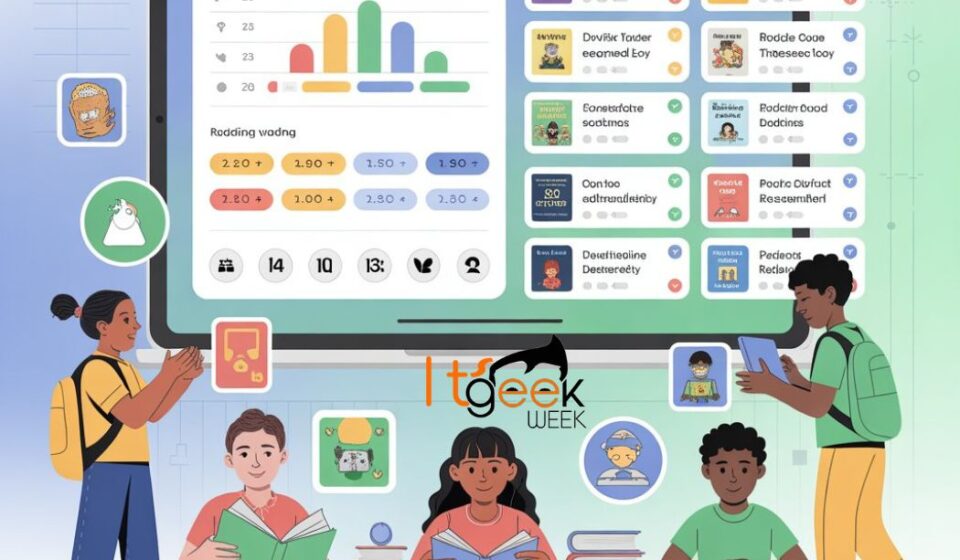

In the rapidly evolving landscape of education technology, finding the right tool to measure and improve reading comprehension can feel overwhelming. For educators and parents seeking a data-driven approach, Literacy Pro (often referred to as “laces Literacy Pro” or “Scholastic Literacy Pro”) stands out as a gold standard.
But what exactly makes this platform different from a standard library or a basic reading app? Based on the latest adaptive learning methodologies, Literacy Pro utilizes the Lexile Framework to create a personalized journey for every student.
In this post, we’ll break down how this English independent reading learning and management platform works, why the science behind it matters, and how you can use it to dramatically improve literacy rates.
What is Literacy Pro?
Literacy Pro is an online assessment, management, and learning system developed by Scholastic Inc. in collaboration with the Lexile Framework for Reading .
Unlike simple reading quizzes that only test memory, Literacy Pro uses computer-adaptive technology (CAT) and Item Response Theory (IRT). This means the system adjusts the difficulty of questions in real-time based on whether the student answers correctly or incorrectly.
The platform is generally comprised of two core engines:
-
The Assessment Engine (LitPro): This determines a student’s baseline reading ability.
-
The Application Engine (LitPro Library): This offers curated reading material tailored to that specific level.
The Power of the Lexile Framework
At the heart of Literacy Pro is the Lexile Framework. You might have seen numbers like 500L or 1200L on book reports, but here is what they actually mean for learning:
-
Prevents Frustration: If a book is too hard (e.g., 200 points above their level), the student gives up.
-
Prevents Boredom: If a book is too easy, the student doesn’t grow.
-
The “Sweet Spot”: Literacy Pro targets a range just slightly above the student’s current level (typically 50L above and 100L below) to ensure growth without frustration.
According to implementation data, this “Goldilocks” method keeps students in their Zone of Proximal Development (ZPD) .
Key Features That Drive Results
Why have institutions moved toward platforms like Literacy Pro (and similar ecosystems like Achieve3000) for English language learning? Here are the high-impact features:
1. Adaptive Benchmarking
The first time a student logs in, they take a “Benchmark Test.” The test is short but highly predictive. It identifies exactly where the student stands against national or international standards. This initial snapshot allows teachers to stop guessing who needs help and start acting.
2. Personalized Reading Paths
No two students are the same. In a classroom of 25 students, you might have one reading at a 2nd-grade level and another at a 9th-grade level. Literacy Pro solves this by automatically recommending titles and articles that match each student’s specific Lexile measure.
3. Actionable Analytics for Teachers
Literacy Pro isn’t just for kids; it is a teacher’s dashboard. You can track:
-
Comprehension accuracy (percentage of quizzes passed).
-
Reading volume (number of words consumed).
-
Growth over time (Lexile gains week over week).
4. The LitPro Library (The Digital Shelf)
The accompanying LitPro Library provides access to thousands of e-books. Because the system knows the student’s Lexile score, it can highlight the books they are ready to read successfully right now.
Literacy Pro vs. Traditional Reading Logs
Many schools still rely on “reading logs” where parents sign off that a child read for 20 minutes. The problem? No one checks if the child actually understood the text.
| Feature | Traditional Logs | Literacy Pro |
|---|---|---|
| Assessment | Subjective (Parent signature) | Objective (Computer-adaptive quiz) |
| Leveling | Guesswork (Looks too hard/easy) | Scientific (Lexile score) |
| Feedback Loop | Weeks/Months | Real-time |
| Student Agency | Limited choices | High-interest, level-appropriate choices |
As noted in academic procurement documents, systems like Literacy Pro are favored for their “IRT” (Item Response Theory) capabilities, meaning the system learns more about the student with every single click, providing a more accurate picture than a standard multiple-choice test ever could .
Tips for Maximizing Literacy Pro in Your Classroom
If you are lucky enough to have access to this platform, here is how to ensure ROI (Return on Investment) on your license:
1. Don’t Skip the Benchmark
Let students guess on the first test to “game” a higher score. It only hurts them. Emphasize that this test is just to find books they will love.
2. Set “Just Right” Goals
Don’t just tell a student to read; tell them to read within their level band. The system works best when students strictly stick to their recommended Lexile range during independent reading time.
3. Use the Data for Intervention
If a student consistently scores 100% on every quiz, they are reading below their potential—move them up. If they score below 60% consistently, they are frustrated—move them down or provide direct instruction.
The Verdict: Is It Worth It?
Yes. While there are free options available, the adaptive technology behind Literacy Pro offers a “smart” scaffolding that free, static worksheets cannot match.
For ESL (English as a Second Language) learners and struggling readers, the immediate feedback loop is crucial. It builds confidence. For advanced readers, it ensures they are continuously challenged.
*Note: Literacy Pro is often bundled with other Lexile-based tools like Achieve3000 for writing and reading integration .*
Final Thought
Reading is the gateway to all other learning. By using tools like Literacy Pro, we stop guessing and start knowing exactly where a student is on their journey to literacy.
Frequently Asked Questions
Q: How often should students take the Literacy Pro benchmark test?
A: Ideally, every 4-6 weeks. This allows enough time for instruction to take effect but is frequent enough to catch growth trends.
Q: Is Literacy Pro only for struggling readers?
A: Not at all. Because it is adaptive, it works equally well for gifted readers who need advanced texts and for on-grade-level readers who need reinforcement.
Q: Can parents use this at home?
A: Typically, access is provided through a school subscription. Check with your local institution to see if they offer a home login portal.