
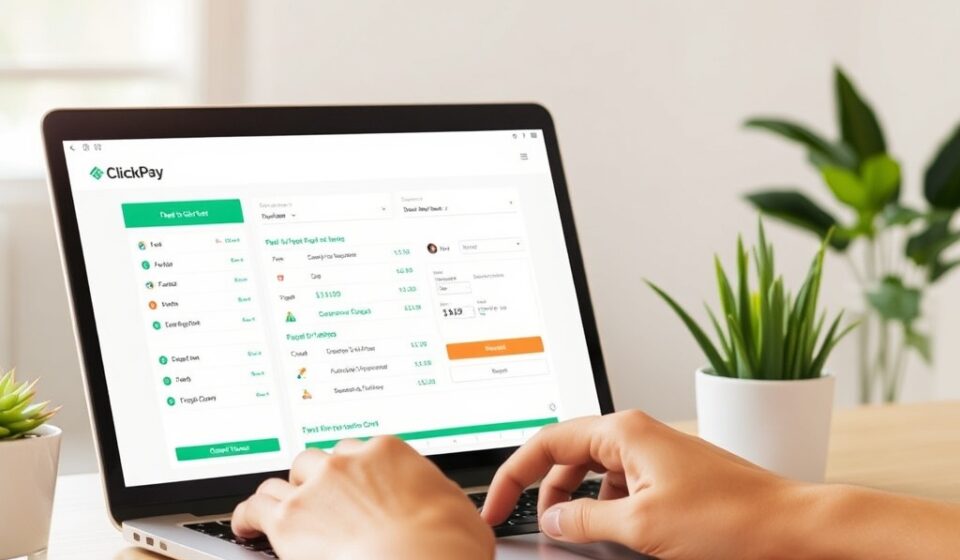

In the world of digital payments, efficiency and security are paramount. Whether you are a property manager collecting rent, an e-commerce merchant processing orders, or a business owner sending invoices, having a reliable payment gateway is essential.
One name that often comes up in this space is ClickPay. However, depending on where you look, “ClickPay” can refer to two different things: a comprehensive property management payment solution or a payment gateway service for developers and businesses.
This article will serve as your ultimate guide to understanding ClickPay, its features, security protocols, and how it compares to competitors to help you decide if it’s the right fit for your needs.
What is ClickPay?
At its core, ClickPay is an online payment platform. However, it is most famously known as a specialized tool for property owners and property managers . The platform simplifies the billing process for tenants by allowing various payment methods, including credit cards, debit cards, ACH transfers (e-checks), and even paper checks .
Beyond property management, “ClickPay” also exists as a payment gateway solution (often referred to in developer documentation as ClickPay SA) that allows businesses to integrate payment APIs into websites and mobile apps . For the purpose of this guide, we will focus primarily on the property management solution while covering the technical aspects for developers.
Key Features of ClickPay
ClickPay is designed to streamline “receivables” for businesses, meaning it helps you get paid faster and with less administrative hassle.
-
Centralized Billing: Property managers can send bills to residents digitally or via paper. Tenants can then pay using their preferred method, but all payments flow into a single dashboard for the manager .
-
Seamless Accounting Integration: One of the biggest pain points for property managers is reconciliation. ClickPay integrates with popular accounting software to update tenant ledgers in real-time as soon as a payment is made .
-
Multiple Payment Methods: Unlike some platforms that only accept credit cards, ClickPay supports ACH (which usually has lower fees), credit/debit cards, and even allows for the processing of physical checks via lockbox services.
Security: How Safe is ClickPay?
When handling money, security is non-negotiable. ClickPay employs enterprise-grade security measures to protect sensitive data.
-
PCI DSS Level 1 Compliance: This is the highest standard in the payment industry. ClickPay is certified as a Level 1 Service Provider, meaning it adheres to the strictest security protocols for handling credit card information .
-
SSL Encryption: The platform uses 256-bit Secure Sockets Layer (SSL) technology to encrypt data transmitted between the user and the server .
-
Two-Factor Authentication (2FA): To prevent unauthorized access, ClickPay supports two-factor authentication, ensuring that even if a password is compromised, accounts remain secure.
-
Triangulated Account Verification: This feature adds an extra layer of security during account registration, validating user information against multiple sources .
The ClickPay Experience: Pros and Cons
Based on user reviews aggregated from sites like Trustpilot, G2, and Capterra, ClickPay has a mixed reputation. As of late 2025, the platform holds an average rating of 1.7 out of 5 stars across approximately 66 reviews .
What Users Like
-
Convenience for Tenants: The ability to pay rent online via a mobile device or desktop is highly valued. The UPI integration (specifically in the Indian market) makes instant payments easy.
-
Automation: Property managers appreciate the automation of recurring payments, such as monthly rent or HOA fees, reducing the need to chase paper checks .
What Users Dislike
-
Customer Service: A significant number of negative reviews point to poor customer support experiences. Users report long wait times and unresolved issues.
-
Technical Glitches: Some users report issues with transaction failures, login problems, and delays in payment processing.
ClickPay vs. Competitors
If you are considering ClickPay for property management, it helps to see how it stacks up against alternatives.
| Platform | Primary Focus | Key Difference |
|---|---|---|
| ClickPay | Property Management (Large Portfolios) | Best for large-scale property managers needing robust accounting integration. |
| TenantCloud | DIY Landlords & Small Portfolios | More affordable for small landlords; offers free plans with maintenance requests. |
| Cozy (Part of Apartment List) | Small to Medium Landlords | Great for individual landlords; free for tenants to pay via ACH. |
| ResMan | Large Multifamily Properties | Direct competitor to ClickPay focusing on enterprise-level property management. |
While ClickPay holds a 0.13% market share in the broader payments processing space, it remains a recognized player specifically within real estate tech. Competitors like TenantCloud and Cozy often appeal to users looking for simpler interfaces or lower costs.
Technical Integration: For Developers (API & Plugins)
For those using ClickPay as a payment gateway (specifically the ClickPay SA variant), the platform offers robust developer tools.
-
Laravel Package: There is a dedicated PHP package for Laravel developers. Using Composer (
composer require clickpaysa/laravel_package), developers can quickly integrate payment pages, handle refunds, and process transactions via tokens rather than raw card data. -
API Support: ClickPay provides a collection of API endpoints supporting server-to-server calls. This allows businesses to create custom checkout experiences while maintaining PCI compliance by not handling card data directly on their servers.
-
Webhooks (IPN): Instant Payment Notifications (IPN) allow your system to automatically update order statuses when a payment is successful, automating the post-purchase workflow.
How to Set Up ClickPay with UPI
For users in markets like India, integrating it with UPI (Unified Payments Interface) is a popular way to facilitate instant bank transfers. Here is how the setup typically works :
-
Create an Account: Register on the ClickPay platform specific to your region or property management portal.
-
Link UPI ID: Navigate to the payment settings and link your preferred UPI ID (e.g.,
username@okhdfcbank) to the account. -
Set Up Recurring Payments (Optional): For rent or subscriptions, enable the “recurring payments” feature to automate monthly deductions.
-
Make a Test Payment: Initiate a small transaction to ensure the link between ClickPay and your UPI app is functioning correctly.
Conclusion: Is ClickPay Right for You?
ClickPay is a powerful tool, but its suitability depends entirely on your role and expectations.
-
Choose ClickPay if: You are a property manager handling a large portfolio and need strong accounting software integration to automate rent collection across hundreds of units. The security features (PCI compliance) are top-tier, which is crucial for liability.
-
Consider alternatives if: You are a single landlord or a small business owner looking for a simple, low-cost solution with responsive customer support. Given the low user ratings regarding service, a competitor like TenantCloud or a simple Stripe integration might offer a better user experience.
Ultimately, ClickPay excels at what it was designed for: streamlining complex rent collection. If you value automation and security over having a chat support agent hold your hand, it remains a viable contender in the property tech space.