
Tired of messing up original PDF files? Do you worry about losing important data? There is a perfect solution for you. It is called axelanote. This powerful tool changes how we work with digital documents.
What is Axelanote?
Axelanote is a special Windows software. It was developed by TransRecog, a Tokyo-based company . The idea is simple but brilliant. It lets you write on any PDF without damaging the original file .
Think of it like this. Imagine placing a clear plastic sheet over a printed map. You can draw on the plastic all you want. The map underneath stays clean and untouched. Axelanote does exactly that for your PDFs .
The Magic of the Overlay System
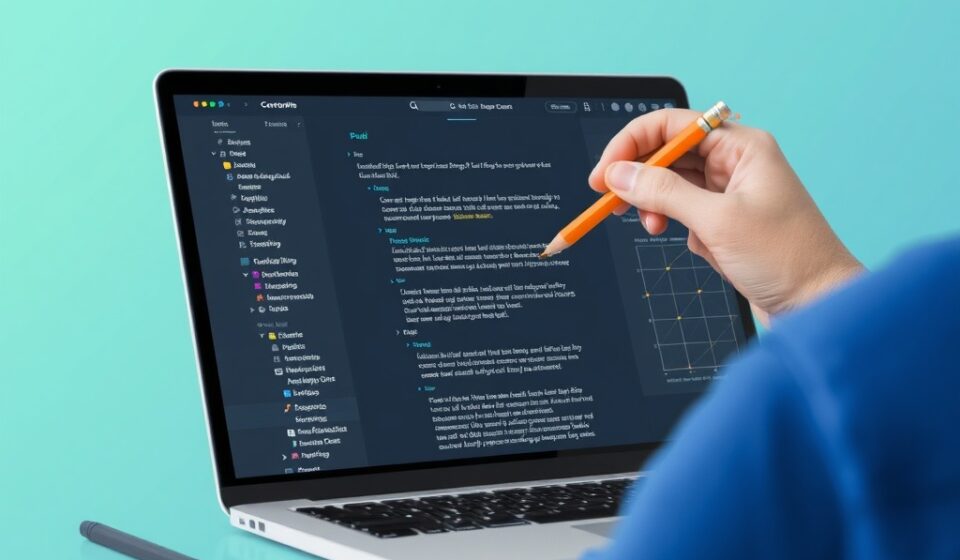
The core feature of axelanote is its non-destructive overlay . The software adds a virtual layer on top of your document. You write, draw, or highlight on this layer.
This means the original PDF file remains 100% intact . You never have to worry about accidentally saving over important data. It gives you total peace of mind.
Key Features You Will Love
Axelanote is packed with features that boost productivity. First, it works on restricted documents. Many PDFs are locked and cannot be edited. Axelanote bypasses this barrier. Since it writes on top, it respects the file’s security while letting you work .
Second, it is perfect for touch screens. The software supports pen and touch fully . If you use a Surface Pro or similar tablet, the experience is smooth. It feels just like writing with a real pen .
Third, it has smart tools like automatic numbering. When reviewing long lists, axelanote can generate labels for you. This prevents mistakes and speeds up your workflow .
Who Uses Axelanote?
Many different professionals rely on this software. Engineers love it for blueprints. They can mark up site plans without changing the original engineering data . Lawyers use it for sensitive documents. They can add private case notes that stay hidden from others .
Even government agencies trust it. Recently, the Tokyo Fire Department selected axelanote for a major project. They use it to manage facility documents digitally. This move helps them reduce paper waste by huge amounts .
Students and researchers also benefit greatly. They can annotate academic papers freely. The notes sit in a separate layer, keeping the source material clean .
Why It is Better Than Traditional Editors
Standard PDF editors change the file itself. That can be risky. Axelanote never touches the base file . Here is a quick comparison:
-
File Safety: Standard editors modify files; axelanote leaves them untouched.
-
Security: Standard tools get blocked by permissions; axelanote works on any document.
-
Flexibility: Standard editors offer limited layers; axelanote allows unlimited independent layers .
Simple System Requirements
You do not need a supercomputer to run axelanote. It is lightweight and efficient. The minimum requirements are modest:
-
OS: Windows 10
-
Processor: Intel Atom
-
RAM: 4GB
-
Prerequisite: Acrobat Reader DC
For the best experience, a stylus or touchscreen is recommended .
A Sustainable Choice for Work
Axelanote is also good for the planet. It promotes a true paperless office. Every document reviewed digitally saves paper, ink, and energy . It helps companies work smarter while protecting the environment.
The company behind it, TransRecog, has a big vision. They want to help people exceed their cognitive limits. They aim to change how we work through paperless innovation .
Final Thoughts
If you work with PDFs daily, you need axelanote. It is safe, smart, and easy to use. You get the freedom to write anywhere without the risk of destroying your files. It bridges the gap between digital documents and the natural feel of pen and paper .
Try it out. Experience the freedom of the overlay. Your files will stay safe, and your productivity will soar.
Frequently Asked Questions About Axelanote
We have compiled the most common questions about axelanote. Here are detailed answers to help you understand this powerful PDF annotation tool better.
General Questions
What exactly is axelanote?
Axelanote is a specialized Windows software for PDF annotation. It was developed by TransRecog, a technology company based in Tokyo, Japan. The software’s main innovation is its non-destructive overlay technology. This means you can write, draw, and highlight on any PDF without altering the original file. It creates a separate virtual layer on top of your document where all your annotations live.
Who should use axelanote?
Many different professionals benefit from this tool. Engineers use it to mark up blueprints and technical drawings. Lawyers annotate legal documents while keeping original files intact. Government agencies use it for digital document management. Students and researchers annotate academic papers freely. Anyone who works with PDFs and needs to add notes safely will find axelanote valuable.
Is axelanote only for Windows users?
Yes, currently axelanote is designed specifically for the Windows operating system. It runs on Windows 10 and later versions. The software is optimized for touchscreen Windows devices like Microsoft Surface tablets. There is no version available for MacOS, Linux, or mobile platforms at this time.
Do I need an internet connection to use axelanote?
No, you do not need an active internet connection. Axelanote works entirely offline. You can annotate documents anywhere, even without Wi-Fi. The only time you might need internet is for downloading the software or receiving updates.
Technical Questions
How does the overlay system actually work?
The overlay system is the heart of axelanote. Think of it like a transparent plastic sheet placed over a printed document. When you write with a pen on the plastic, the paper underneath stays untouched.
In digital terms, axelanote creates a separate data layer that sits on top of your PDF. All your annotations, highlights, drawings, and text boxes are stored in this layer. The original PDF file remains completely unchanged on your hard drive. When you open the document again in axelanote, it displays both the original file and your overlay layer together. This gives you the complete annotated view while preserving the source document.
Can I edit or remove annotations after creating them?
Absolutely. Since annotations live in a separate layer, you have full control over them. You can delete individual annotations anytime. You can also modify them, changing their color, position, or content. If you want to start fresh, you can clear the entire overlay layer with one click. The original PDF remains untouched throughout this process.
Does axelanote work on password-protected or restricted PDFs?
Yes, this is one of its most powerful features. Many PDFs come with security settings that prevent editing, printing, or copying. Standard PDF editors cannot modify these files at all.
Axelanote bypasses this limitation because it never tries to edit the original file. It simply reads the PDF for display and adds your annotations on top. You can mark up restricted documents freely. This is invaluable for professionals who work with sensitive or secured files.
What file formats does axelanote support?
The primary focus is PDF files. Axelanote works with standard PDF documents, including scanned PDFs and image-based PDFs. The software relies on Adobe Acrobat Reader DC being installed on your system to handle the PDF rendering. Beyond PDFs, the overlay technology is designed specifically for this format. Other document types like Word or Excel files are not directly supported.
Can I save my annotated document as a new PDF?
Yes, you can export your work. Axelanote allows you to flatten the overlay and the original PDF into a single new file. This creates a standard PDF that includes all your annotations as part of the document itself. You can share this file with anyone, even if they do not have axelanote installed. The original source file remains safely untouched on your system.
Does axelanote support multiple overlay layers?
Yes, this is an advanced feature that adds tremendous flexibility. You can create different overlays for different purposes. For example, you might have one layer for personal notes and another layer for team feedback. You can show or hide these layers independently. This is extremely useful for collaborative projects where multiple people need to annotate the same document.
What are the system requirements?
Axelanote is lightweight and runs smoothly on modest hardware. The minimum requirements are:
-
Operating System: Windows 10 (64-bit recommended)
-
Processor: Intel Atom or better
-
RAM: 4GB minimum
-
Hard Drive: 100MB free space for installation
-
Additional Software: Adobe Acrobat Reader DC must be installed
-
Recommended: Touchscreen display and stylus pen for optimal experience
For heavy users working with large documents, 8GB of RAM and a faster processor will provide smoother performance.
Feature Questions
What annotation tools are included?
Axelanote offers a complete set of annotation tools. You get:
-
Freehand pen tool for drawing and writing
-
Highlighter tool in multiple colors
-
Text boxes for typed notes
-
Shapes including rectangles, circles, and lines
-
Sticky note style comments
-
Automatic numbering for lists and sequences
-
Eraser tool to remove specific annotations
-
Color picker to customize your markings
All tools are pressure-sensitive when used with compatible stylus pens.
How does the automatic numbering feature work?
This is a smart productivity tool. When you need to mark items in a list or sequence, axelanote can generate numbers automatically. You simply tap where you want the next number to appear. The software places the correct sequential number for you. This prevents mistakes and saves time when reviewing long documents, checklists, or inventory sheets.
Is the software good for handwriting recognition?
Axelanote focuses on capturing your handwriting as visual annotations. It preserves your actual handwriting style. The software does not convert handwriting to text by default. However, because your annotations are stored in a data layer, they remain searchable as visual elements. For text conversion, you would need separate OCR software.
Can I search for text within my annotations?
This depends on the type of annotation. Text you type into text boxes becomes searchable within axelanote. Handwritten annotations are stored as images of your writing. They are not automatically searchable as text. However, the software maintains the overlay structure, so you can visually scan your notes easily.
Usage and Practical Questions
Can multiple people annotate the same document?
Yes, through the layer system. Different users can create their own overlay layers on the same base PDF. Each person’s annotations remain separate. You can view all layers together or toggle them on and off individually. This makes axelanote excellent for team reviews and collaborative feedback sessions.
How do I share my annotated document with someone who does not have axelanote?
You have two options. First, you can export a flattened PDF that combines the original document with all visible annotations. This creates a standard PDF that anyone can open in any PDF reader. Second, you can share the original PDF along with a separate overlay file. The recipient would need axelanote to view the annotations, but this preserves the ability to edit or hide different layers.
Is axelanote suitable for large documents?
Yes, it handles large files well. Engineers use it for detailed blueprints. Government agencies use it for extensive facility documents. The software is optimized to maintain performance even with files containing hundreds of pages. The overlay technology stores annotations efficiently without bloating file sizes.
Can I print documents with my annotations?
Absolutely. When you print from axelanote, you can choose whether to include the annotations. The printout will show the original document with your overlay markings combined. This works just like printing a regular PDF. You have full control over print settings and page ranges.
Does it work with scanned documents?
Yes, axelanote works perfectly with scanned PDFs. Scanned documents are essentially images embedded in a PDF wrapper. The overlay system treats them like any other PDF. You can annotate directly on top of scanned pages. This is especially useful for digitizing paper documents and adding notes without altering the original scan.
Business and Enterprise Questions
Is axelanote used by large organizations?
Yes, it has significant enterprise adoption. The Tokyo Fire Department recently selected axelanote for a major digital transformation project. They use it to manage facility documents and reduce paper waste. Engineering firms, legal practices, and government agencies also rely on it for secure document annotation.
How does axelanote support paperless initiatives?
Axelanote is designed specifically to reduce paper dependency. By allowing complete digital annotation, it eliminates the need to print documents for marking up. Organizations can review, comment, and collaborate entirely digitally. The Tokyo Fire Department project specifically aims to cut paper usage by huge amounts. Every document reviewed digitally saves paper, ink, and physical storage space.
Can axelanote be deployed across multiple computers in an organization?
Yes, businesses can install axelanote on multiple workstations. The software supports standard Windows deployment methods. Organizations should contact TransRecog directly for volume licensing options and enterprise support.
Is my data secure when using axelanote?
Very secure. Since axelanote works entirely offline and does not modify original files, your data remains under your control. No information is sent to external servers. The original documents stay exactly as they were. Your annotations are stored locally on your device. For sensitive government and legal work, this local-only approach provides maximum security.
Support and Purchase Questions
How much does axelanote cost?
Pricing information is best obtained directly from TransRecog, the developer. They offer different licensing options for individual users and organizations. Visit their official website or contact their sales team for current pricing details.
Is there a free trial available?
Many software companies offer trial periods. Check the official TransRecog website to see if a demo or trial version of axelanote is currently available. A trial allows you to test the overlay features with your own documents before purchasing.
Where can I get help if I encounter problems?
TransRecog provides customer support for axelanote users. Your first resource should be their official website, which may offer documentation and FAQs. For direct assistance, you can contact their support team through the contact information provided on their site. Enterprise customers likely have access to dedicated support channels.
How often is axelanote updated?
TransRecog periodically releases updates to improve performance, add features, and ensure compatibility with the latest Windows versions. The update frequency depends on development cycles and user feedback. Registered users typically receive notifications when new versions become available.
Technical Limitations
Are there any file size limitations?
Axelanote is designed to handle large documents efficiently. However, extremely large files with thousands of pages may experience slower loading times. The overlay itself adds minimal data, so file size growth from annotations is very small. Performance depends more on your computer’s hardware than the software itself.
Does it work with PDF forms?
Yes, you can annotate PDF forms. However, axelanote focuses on adding markup, not filling form fields. If you need to fill interactive form fields, that functionality comes from Adobe Acrobat Reader. Axelanote works alongside Reader, displaying the form while letting you add overlay annotations.
Can I extract my annotations as separate data?
Currently, axelanote stores annotations in its own overlay format. For sharing, flattening to PDF is the standard method. If you need annotation data for other purposes, exporting as flattened PDF preserves the visual information. Direct data extraction may require additional tools or workflows.